App Icon Generation
Create one icon, deploy everywhere. Our system automatically generates all required icon sizes for Android and iOS.
Upload a single 1536x1536 pixel adaptive icon and we'll automatically generate all the app icons needed for both Android and iOS. No need to create multiple sizes or formats — we handle everything for you.
What Are Adaptive Icons?
Adaptive icons were introduced in Android 8.0 (Oreo) to provide a consistent look across different devices and launchers. Unlike traditional static icons, adaptive icons consist of a foreground and background layer that can be masked into various shapes by the device.
Different Android launchers display icons in different shapes — circles, squares, squircles, and more. Adaptive icons ensure your app looks great regardless of the user's device or launcher preferences.
Icon Anatomy: Understanding the Zones
Icon Structure Diagram
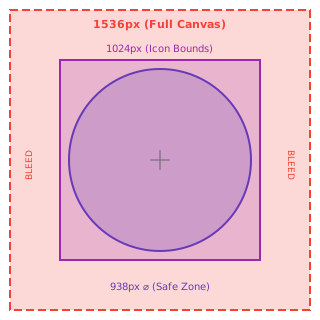
Content in the bleed area (the outer 256px on each side) may be cropped or used for parallax effects. Always keep your logo and critical elements within the 938px safe zone circle.
Preview Your Icon
Select an example icon or upload your own to see how it will appear across different device shapes:
Choose an Example Icon
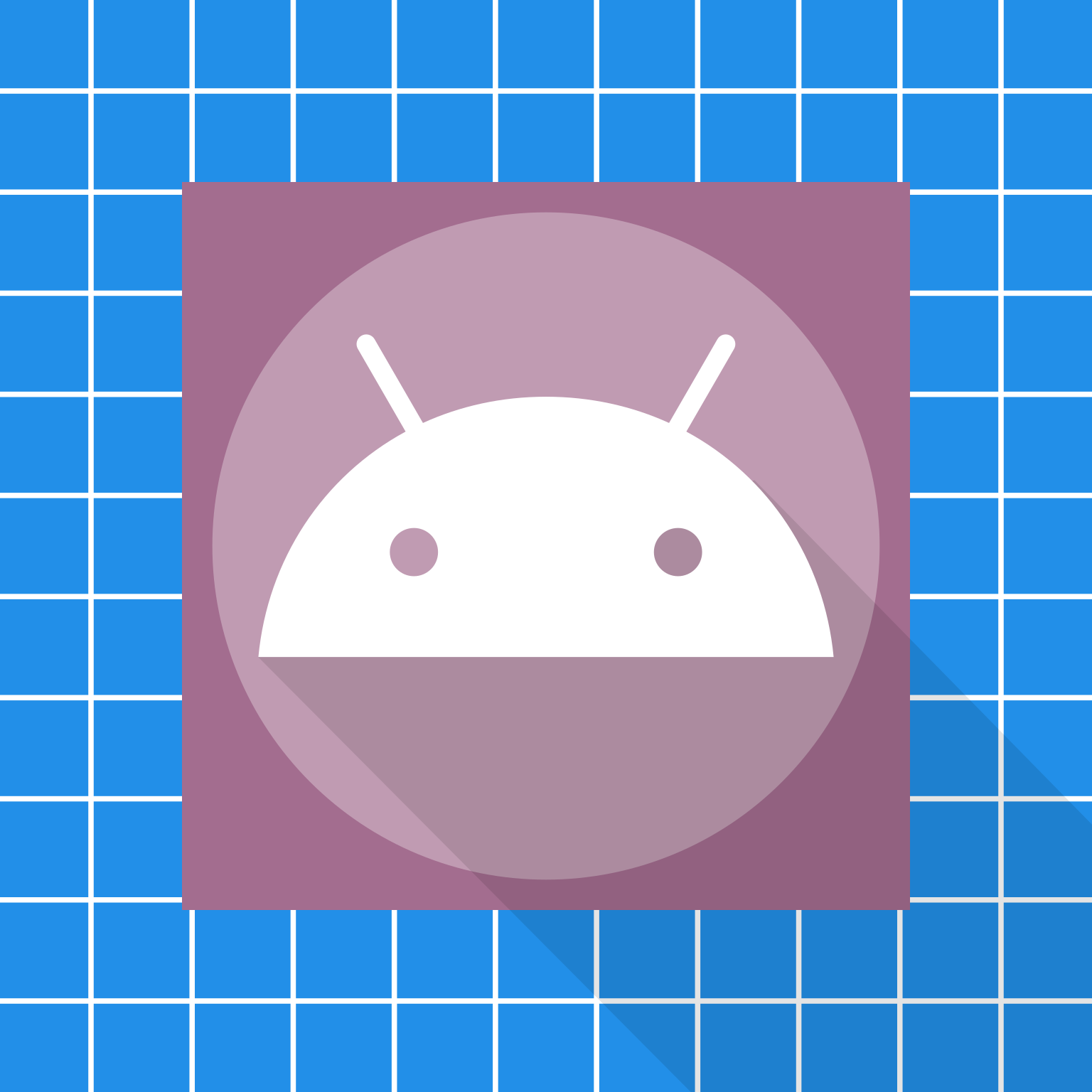
Full Size Preview
(1536×1536px)
How Your Icon Will Appear
Drag on the adaptive icons to simulate the parallax motion effect.

Creating Your Icon
Step-by-Step Guide
- Create a 1536x1536px canvas in your design tool (Figma, Photoshop, Illustrator, etc.)
- Draw your background — this should extend to all edges (the full 1536px) to provide the bleed area
- Center your logo within the 938px safe zone circle
- Keep important elements away from the edges — stay within the inner 1024px bounds
- Export as PNG at 1536×1536px
- Upload to our platform — we'll generate all required sizes automatically
The parallax effect means the foreground can shift up to 18dp in any direction. Test your icon by dragging on the previews above to ensure your design looks good with movement.
Design Best Practices
- Keep it simple — Icons are viewed at small sizes, so avoid tiny details
- Use bold shapes — Clear silhouettes work better than complex illustrations
- Consider the background — Your icon will appear on various wallpapers and in app drawers
- Test all shapes — Use the preview above to check circle, squircle, and square variants
- Avoid text — Text is often unreadable at icon sizes